

2026-10-1 price revision: list by brand and annual cost difference
⚡ 【早見表】アイコス(IQOS)の使い方|旧ブレード型と現行「イルマ i」の操作方法の違い
※メーカー公式発表・財務省認可価格(2026年10月1日改定反映)と、編集部の整理・過去取材記録を区別して記載しています。
| 検索されている疑問・確認項目 | 結論・公式基準(2026年10月時点) |
|---|---|
| 現行「IQOS イルマ i」の使い方 | 専用スティック(テリア640円・センティア590円)を線までまっすぐ挿すと自動で加熱が開始(オートスタート)。約20秒後にバイブが鳴ったら吸引開始し、残り30秒/2パフで再度振動します。 |
| 旧型(IQOS 3 DUO / MULTI)との違い | 旧型はボタン長押しで加熱開始し、使用後はキャップを引き上げてからスティックを抜き、定期的なブレード清掃が必要でした(旧専用たばこはすでに終売)。 |
| リセット手順(全世代共通の基本) | 動作が不安定な時は、ホルダーをチャージャーに入れて(一体型はそのまま)ボタンを約10秒間長押しし、ライト消灯→白点滅で再起動します。 |
Good evening,Heated cigarette blogger Genki (@MOQLOG_JP)It is.
It has been six years since Icos was launched nationwide, and the company has evolved from the Icos 2.4 series to Icos 3 and then to Icos Irma.
The blade-using Icos 2.4 and Icos 3 have already been discontinued, but if you like the taste of blade-using Icos 2.4 or Icos 3, or if you use non-nicotine sticks such as Nicoress, you will need to use an older model! I think there are more than a few people who say, "I can't do without the old model!
Therefore, in this article.Latest ModelsのIQOS ILUMAThe series is available for purchase now, as well as all of thetreatmentWe have summarized the following information.
How to use IcosIf you are not sure about the "what", please refer to the following.
- Correct usage common to all series of Icos
- Proper IQOS usage (1): Use a genuine charger.
- Correct IQOS usage (2): Insert straight
- Proper IQOS usage (3): Close the lid gently.
- Proper IQOS usage 4: Cleaning is important
- Proper IQOS usage 5: Do not light a fire.
- Proper IQOS usage 6: Do not pull out the tobacco stick
- Proper IQOS usage (7): Don't be in a hurry if it breaks in the middle.
- How to use each device in the Icos Ilma Series
- How to use Icos Ilma
- How to use Icos Illuma Prime
- Name of parts of Icos Illuma Prime
- How to use the Icos Illuma Prime (turn it on)
- How to use Icos Illuma Prime (charging the holder)
- How to use Icos Illuma Prime (Charging the Charger)
- How to use Icos Ilma Prime (Smoking Process)
- How to use Icos Illuma Prime (check charging status)
- How to use (how to reset) the icos Ilma Prime
- How to use Icos Illuma One
- Name of Parts of Icos Illuma One
- How to use Icos Illuma One (turn it on)
- How to use Icos Illuma One (charging the main unit)
- How to use Icos Illuma One (Smoking Process)
- How to use Icos Illuma One (check the time of use while smoking)
- How to use Icos Illuma One (check charging status)
- How to use (how to reset) the Icos Illuma One
- How to use the Icos 3 Series
- How to use the Icos 3 Duo
- Name of parts of Icos3 Duo
- How to use the Icos 3 Duo (turn it on)
- How to use the Icos 3 Duo (charging the holder)
- How to use the Icos 3 Duo (check the charging status of the holder)
- How to use the Icos 3 Duo (check the charging status of the charger)
- How to use the Icos 3 Duo (smoking process)
- How to use (and clean) the Icos 3 Duo
- How to use the icos 3 duo (how to reset)
- How to use Icos 3 Multi
- How to use the Icos 2.4 Series
- How to use Icos 2.4 Plus
- Name of parts of Icos 2.4 Plus
- How to use the Icos 2.4 Plus (turn it on)
- How to use Icos 2.4 Plus (charging the holder)
- How to use the Icos 2.4 Plus (check the charging status of the charger)
- How to use Icos 2.4 Plus (smoking process)
- How to use (how to clean) the Icos 2.4 Plus
- How to use Icos 2.4 Plus (how to reset)
- Summary of how to use Icos
- How Was This Flavor?
- Check prices and compatible devices
Correct usage common to all series of Icos
Icos.Causes malfunctions and defects if not used correctlyIt could also be a
Therefore, we will start by introducing the "proper usage" of each device, so please keep this in mind to prevent problems.
Also, if you would like to quickly learn how to use each IQOS in detail, please jump to the link below.
Proper IQOS usage (1): Use a genuine charger.

Target: All devices
The Icos has a battery capacity of more than 3,000 mAh, which is a bit like a smartphone,AC adapter also has the same 2A specifications as smartphones and other devicesIt is a good idea.
Recently, the number of 2A adapters has increased, but most common AC adapters are 1A adapters, and if used incorrectly, they may not charge the battery at all....
Conversely, many vape and other products are designed for 1A, so be careful when charging with the AC adapter for Icos, as there is a risk of malfunction or even ignition in some cases.
Correct IQOS usage (2): Insert straight

Applicable to: IQOS 2.4 / 3 series
For the 2.4 and 3 series with blades, the shape of the blades is evident,Failure to insert the blade straightly will result in blade breakage..
Some heat sticks are sometimes difficult to stick, but be careful when inserting them because the holder's blades can snap off if you try to turn them.
The second most common cause of blade breakage is when inserting the blade, and by the way, the first is when it is broken during cleaning, which I have done three times in the past, but be very careful because you will not be able to smoke until a replacement arrives.
Proper IQOS usage (3): Close the lid gently.

Target: IQOS 2.4 series
The most fragile part of the Icos is the "lid" of the Icos Charger,If the 2.4 series is used roughly, the claws on the lid will break and it will not close..
In fact, this lid plays a very important role. It is designed to press the ICOS holder from above when charging, so if it is broken, it may become impossible to charge the ICOS holder.
Many people were using a rubber band to hold the Icos in place for first aid, so please be very careful if you use the 2.4 series.
Proper IQOS usage 4: Cleaning is important

Target: All devices
A daily essential task for IQOS 2.4 and IQOS 3 series users!According to the user guide, it is recommended to clean after 20 heat sticks are smoked, so you can imagine cleaning at the end of the day.
I have never heard of an Icos breaking down after not cleaning for a few months, but I have heard many stories of "sore throats" and "bad taste"! However, I have heard many stories of "sore throats" and "bad taste".
Do not forget to clean up the burnt debris, because if you continue to smoke while it builds up, you may be generating unexpected toxic substances!
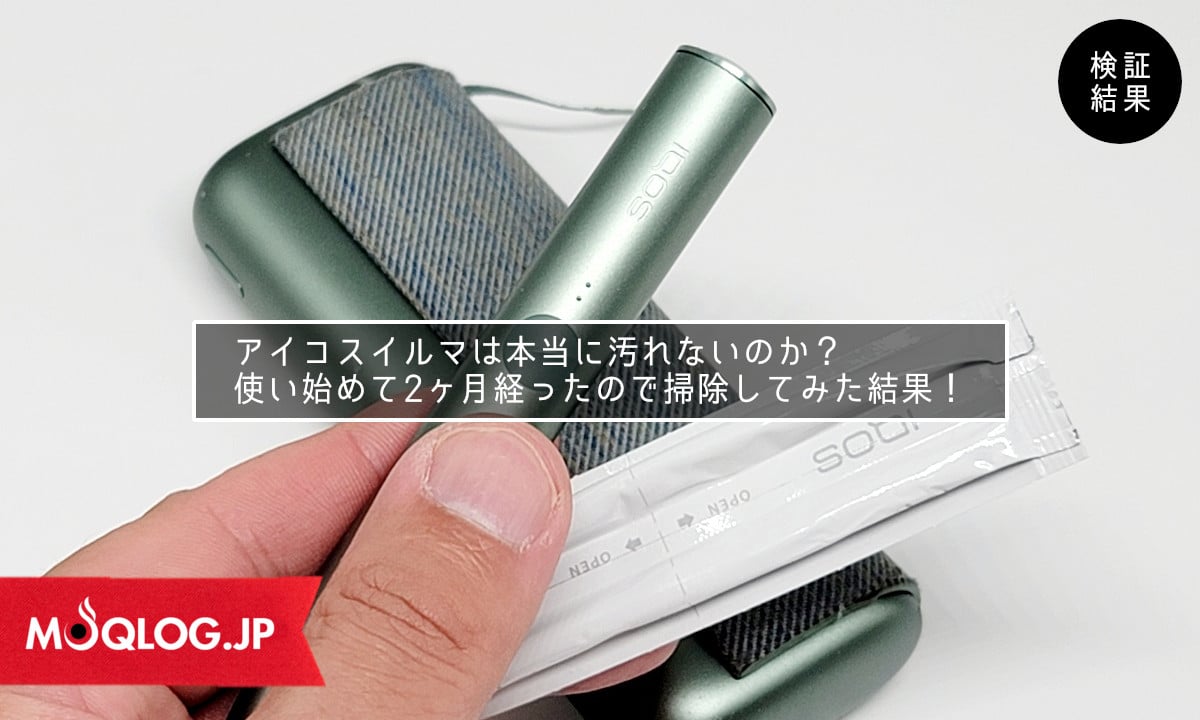
The IQOS ILUMA series is claimed to be maintenance free,In fact, there is a small amount of residue at the bottom of the holder.
It is recommended to clean it with a cotton swab once a month, not as often as a conventional machine.

Proper IQOS usage 5: Do not light a fire.

Target: All devices
Can heat sticks be smoked like cigarettes? I was curious to find out.Some of you may be tempted to set it on fire, but don't, because you will definitely regret it!.
The tobacco sticks used in Icos do not burn properly, unlike regular paper cigarettes, because they contain glycerin and other substances to generate vapor.
If you try to force yourself to smoke it, your throat hurts and it tastes so bad that you can decide to "quit smoking" if this is the only way you can smoke, and it looks bad for your body, so don't try it.
Proper IQOS usage 6: Do not pull out the tobacco stick

Applicable to: IQOS 2.4 / 3 series
I know you do!" You may think,Without any instructions on how to use it, the first time you see an Icos, pull out the 100% heat stick.
If you let them smoke from a heat stick inserted in the Icos holder, they don't know that the cap slides off, so they just pull it out.
As expected, you will learn after one failure, but be careful not to twist the blade when pulling it out, as this can damage the blade.
Proper IQOS usage (7): Don't be in a hurry if it breaks in the middle.

Target: IQOS ILUMA series
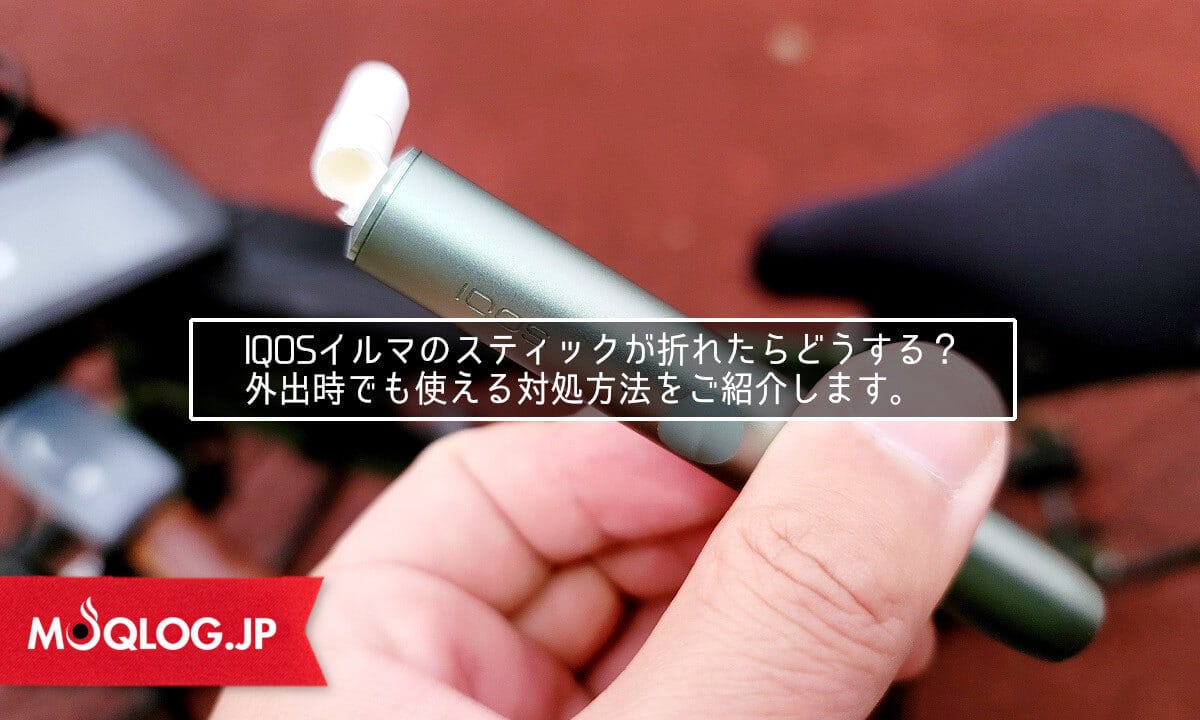
With conventional Icos, it was relatively easy to remove the cap, but the Icos Ilma series does not have a cap, so it is quite difficult to take it out.
Never try to pull it out by inserting a pen or other object halfway, as it may push the broken tobacco stick deeper into the cigarette..
I have experienced this several times, and when broken, the best way is to use a "screw". Please refer to the following instructions on how to take out the product with a screw.
How to use each device in the Icos Ilma Series
2021年8月に発売開始となった、アイコス「IQOS ILUMA」。
2022年3月にアイコスイルマワンが発売されたことで、現在ではILUMA iシリーズを含む3種類以上のラインナップが発売されています。
The price of the device has been reviewed to coincide with the launch of the Aicos Ilma One, making it more affordable and reasonable to purchase.
| Product name | IQOS ILUMA | Icos Ilma Prime | Icos Ilma One |
|---|---|---|---|
| Release Date | August 18, 2021 | August 18, 2021 | March 8, 2022 |
| Price | 6,980 yen | 9,980 yen | 3,980 yen |
| color | moss green peple beige Peple gray Azure blue sunset red | jade green gold khaki Obsidian black bronztope | moss green peple beige Peple gray Azure blue sunset red |
| feature | standard model separate type Next generation features available Up to 2 consecutive | flagship model separate type Next generation features available Up to 2 consecutive | All-in-one type Smoking function only 20 consecutive |
| store | IQOS Store Online Store convenience store Some tobacco retailers | IQOS Store Online Store convenience store Some tobacco retailers | IQOS Store Online Store convenience store Some tobacco retailers |
How to use Icos Ilma
I pasted a video I found explaining how to use the AICOS ILLUMINATOR.
Although the usage is described in detail, rest assured that it can actually be handled with only very simple operations.
Part names and detailed notes will be explained in the next section.
Name of parts of icos ilma
IQOS ILUMA Charger

IQOS ILUMA Holder

It is not necessary to memorize all the official names of the parts, but it is good to remember only the "door" of the charger and the "ring" of the holder, which can be customized.
The charger is designed just like the Icos 3 series, so no explanation is necessary, but the holder has a completely new look and feel.
How to use Icos Ilma (turn on the power)

Press and hold the Pocket Charger button for 4 seconds, then release. The battery light and holder status light will turn on slowly.
How to use Icos Ilma (charging the holder)

After loading the holder into the pocket charger, close the door cover to start charging. The charging status can be checked from the holder status light.
How to use Icos Ilma (Charging the charger)

Before using the device for the first time, connect the device to the dedicated charging cable and power adapter to fully charge it.
(It takes about 135 minutes to fully charge the battery.)
How to use Icos Ilma (Smoking Process)
- STEP01Insert a special cigarette (Terrier Sentia)

Insert the special cigarette up to the line printed on the filter, the holder will vibrate and the lamp will flash.
Heating starts automatically or by pressing and holding the button for about 1 second.
- STEP02Smoking start
When the holder vibrates and the light comes on, it is a signal that heating is complete and you can smoke.
(about 20 seconds after start of heating) - STEP03Notification prior to termination
When 30 seconds or 2 sucks remain, the holder vibrates and the white light flashes.
(about 6 minutes or 16 inhales) - STEP04Cigarette Butt Removal
Remove the cigarette butts and dispose of them in the burnable trash.
At this point, if you don't pull it straight out.Cigarette sticks break off and clog up with cigarette butts."Please be aware that this could lead to problems such as
- STEP05Recharge holder
Load the holder into the pocket charger and recharge the battery.
When the holder is fully charged, up to two bottles can be used.


How to use Icos Illuma (check charging status)
Checking the charge status of the holder

You can check the number of times it has been used by tilting the holder in your hand with the holder status light up, or by pressing the holder button for a few seconds and then releasing it.
Checking the charging status of the holder at the charger

Load the holder into the charger and press and release the pocket charger button to see how much charge and how many times the holder has been used.
Checking the charging status of the Pocket Charger

Press and release the Pocket Charger button for a few seconds to check the charging status of the charger.
How to use (how to reset) the Icos Ilma

With the holder loaded in the charger, press and hold for 10 seconds and then release your finger.
The reset is complete when all status lights turn off and then on.
How to use Icos Illuma Prime
The Aicos Irma Prime is a high-end model released as a flagship model.
We thought the clipped image from the manual didn't quite convey the coolness of the product, so please check out the video as well.
The use of the Icos Ilma Prime is the same as that of the Icos Ilma, and the LED lamps are also the same.
Name of parts of Icos Illuma Prime
IQOS ILUMA PRIME Charger

IQOS ILUMA Holder
The only difference between the Icos Ilma Prime and the Icos Ilma is the charger, and the holder used for smoking is the same.
The difference in the design and material of the charger is the difference in price of 3,000 yen, but the novel design is well worth the 3,000 yen, and the Icos Ilma Prime is a pushover!
How to use the Icos Illuma Prime (turn it on)

Press and hold the Pocket Charger button for 4 seconds, then release. The battery light and holder status light will turn on slowly.
How to use Icos Illuma Prime (charging the holder)

After loading the holder into the pocket charger, close the wrap cover to start charging.
How to use Icos Illuma Prime (Charging the Charger)

Before using the device for the first time, connect the device to the dedicated charging cable and power adapter to fully charge it.
(It takes about 135 minutes to fully charge the battery.)
How to use Icos Ilma Prime (Smoking Process)
- STEP01Insert a special cigarette (Terrier Sentia)
Insert the special cigarette up to the line printed on the filter, the holder will vibrate and the light will flash.
Heating starts automatically or by pressing and holding the button for about 1 second.
- STEP02Smoking start
When the holder vibrates and the light comes on, it is a signal that heating is complete and you can smoke.
(about 20 seconds after start of heating) - STEP03Notification prior to termination
When 30 seconds or 2 sucks remain, the holder vibrates and the white light flashes.
(about 6 minutes or 16 inhales) - STEP04Cigarette Butt Removal
Remove the cigarette butts and dispose of them in the burnable trash.
At this point, if you don't pull it straight out.Cigarette sticks break off and clog up with cigarette butts."Please be aware that this could lead to problems such as
- STEP05Recharge holder
Load the holder into the pocket charger and recharge the battery.
When the holder is fully charged, up to two bottles can be used.

How to use Icos Illuma Prime (check charging status)
Checking the charge status of the holder
You can check the number of times it has been used by tilting the holder in your hand with the holder status light up, or by pressing the holder button for a few seconds and then releasing it.
Checking the charging status of the holder at the charger

Load the holder into the charger and press and release the pocket charger button to see how much charge and how many times the holder has been used.
Checking the charging status of the Pocket Charger

Press and release the Pocket Charger button for a few seconds to check the charging status of the charger.
How to use (how to reset) the icos Ilma Prime

With the holder loaded in the charger, press and hold for 10 seconds and then release your finger.
The reset is complete when all status lights turn off and then on.
How to use Icos Illuma One
Unlike the other two series, the Icos Ilma One is not equipped with next-generation features, but it is the best performing model when it comes to "smoking".
With its reasonable price and ease of use, it is probably the most widely available Aicos Ilma model today.
However, button operation is required, and this makes it different from the Icos Ilma and Icos Ilma Prime.
Name of Parts of Icos Illuma One

Because the Icos Illuma One is an all-in-one model, it has few parts and practically only one button.
Cap customization like the Icos 3 Multi will no longer be available, and the only accessory will be the sleeve.
How to use Icos Illuma One (turn it on)

Press and hold the button for 4 seconds, then release. The battery light and holder status light will turn on slowly.
How to use Icos Illuma One (charging the main unit)

Before using the device for the first time, connect the device to the dedicated charging cable and power adapter to fully charge it.
(It takes about 90 minutes to fully charge the battery.)
How to use Icos Illuma One (Smoking Process)
- STEP01Slide the cap to open the insertion slot
Slide the cap to open the insertion slot.
- STEP02Insert a special cigarette (Terrier Sentia)
Insert the special cigarette up to the line printed on the filter, the holder will vibrate and the light will flash.
Heating starts automatically or by pressing and holding the button for about 1 second.
- STEP03Start of heating
Press and hold the button for 1 second to vibrate the body and start heating.
While heating is in progress, do not move the tobacco stick and wait until it is complete.
- STEP04Smoking start
When the holder vibrates and the light comes on, it is a signal that heating is complete and you can smoke.
(about 20 seconds after start of heating) - STEP05Notification prior to termination
When 30 seconds or 2 sucks remain, the holder vibrates and the white light flashes.
(about 6 minutes or 16 inhales) - STEP06Cigarette Butt Removal
Remove the cigarette butts and dispose of them in the burnable trash.
At this point, if you don't pull it straight out.Cigarette sticks break off and clog up with cigarette butts."Please be aware that this could lead to problems such as
- STEP07Close the cap
Slide the cap to close the insertion slot.


How to use Icos Illuma One (check the time of use while smoking)

While in use, the status light indicates the remaining time, so you can check the remaining time on the scale.
How to use Icos Illuma One (check charging status)

During standby, press and release the button to turn on the status light and check the charge level.
How to use (how to reset) the Icos Illuma One

Press and hold the button for 10 seconds and then release your finger.
The reset is complete when all status lights turn off and then on.
How to use the Icos 3 Series
It was released in November 2018.Icos3series, which has underpinned the popularity of Icos even after the Icos boom has passed.Long seller modelIt is.
Notable,It corresponds to "continuous smoking" which was the only weak point of Icos.That is to say.
It was also at this time that the very popular all-in-one (multi) model was introduced.
| Product name | Icos3 Duo | Icos3 Multi |
|---|---|---|
| Release Date | September 25, 2019 | November 15, 2018 |
| Price | 6,980 yen | 4,980 yen |
| color | warm white velvet gray steller blue brilliant gold | warm white velvet gray steller blue brilliant gold |
| feature | Holder for two consecutive sucks separate model | First all-in-one model Smaller battery capacity with a maximum of 8 batteries |
| store | Genuine products are no longer available. *Only resale items | Genuine products are no longer available. *Only resale items |
How to use the Icos 3 Duo
The Icos 3 Duo, with its customizability intact, the coolness of the Icos 3, and a holder that allowed for two consecutive smokes, was a device that at the time seemed to be the perfection of the Icos line.
Unfortunately, it is no longer available and can only be bought for resale, but I think it was the coolest model of Icos with blades.
Name of parts of Icos3 Duo
IQOS 3 DUO Charger

IQOS 3 DUO Holder

The charger design that struck me as so cool when I first saw the Icos 3 Duo was carried over to the Icos Ilma.
Starting with the Icos 3 Duo charger, it was revolutionary to be able to store the holder regardless of left or right, as long as the top and bottom of the holder are correct.
How to use the Icos 3 Duo (turn it on)

Press and hold the button on the pocket charger for 4 seconds, then release. The battery light and holder status light will flash.
How to use the Icos 3 Duo (charging the holder)

After the holder is loaded into the pocket charger, closing the door initiates charging.
How to use the Icos 3 Duo (check the charging status of the holder)
How to check the charging status on the Icos 3 holder

Press the button on the holder to check the charging status. The number of lights indicates the number of times it has been used.
How to check the charging status of the holder on the Icos 3 Duo charger

When the holder is loaded into the charger and the button on the charger is pressed, the number of times the holder can be used can be checked by the number of LEDs that light up.
How to use the Icos 3 Duo (check the charging status of the charger)

Press the button on the pocket charger to check the charging status.
How to use the Icos 3 Duo (smoking process)
- STEP01Inserts dedicated cigarettes (Marlboro Heats)
Insert the special cigarette up to the line printed on the filter.
- STEP02Start of heating
When the button is pressed and held for 1 second, the unit vibrates and the light flashes white to start heating.
- STEP03Smoking start
When the holder vibrates twice and the light changes from flashing to on, it is a signal that heating is complete and you can smoke.
- STEP04Notification prior to termination
When 30 seconds or 2 sucks remain, the holder vibrates twice and the white light flashes.
- STEP05Cigarette Butt Removal
Slide the cap upward,Removes used tobacco sticks straight out without twisting.
Attempting to pull out at a twist or angle may damage the blade.


How to use (and clean) the Icos 3 Duo
- STEP01IQOS Cleaning Tools

Remove the cap from the holder, make sure it has cooled down, then insert the IQOS cleaning tool all the way to the back and gently rotate it.
- STEP02Finish with IQOS cleaning stick
Gently wipe the inside of the holder with an IQOS cleaning stick.
Be careful not to apply strong force as it may damage the blades.
- STEP03Don't forget to clean the cap!
The caps are similarly wiped clean with a cleaning stick from both directions, from the top and from the bottom.


How to use the icos 3 duo (how to reset)

Press and hold the button on the charger for 10 seconds and release your finger when the status light and battery light turn on twice and then off.
The reset is complete when the status light and battery light blink several times and then go out.
How to use Icos 3 Multi
The all-in-one model Icos 3 Multi was an excellent choice for customization despite its simple structure.
It is the number one long-selling model of all time for its continuous sucking and reasonable price, and I have the impression that demand for this model as a two-car model was particularly strong.
Parts Name for Icos3 Multi

The only thing that makes the Icos 3 Multi difficult to use is the LED on the bottom to check the battery level.
Other than that, the caps are quite well made, with customizable caps for a simple construction.
How to use the Icos 3 Multi (turn it on)

Press and hold the button on the Icos 3 Multi for 4 seconds, then release. The battery light and holder status light will flash.
How to use the Icos 3 Multi (check the charging status of the device)

When the button is pressed, the LED on the bottom shows the remaining battery level.
How to use Icos 3 Multi (smoking flow)
- STEP01Slide the cover sideways to open the insertion slot.
Rotate the cover in a half-clockwise direction to open the cigarette stick insertion slot.
- STEP02Inserts dedicated cigarettes (Marlboro Heats)
Insert the special cigarette up to the line printed on the filter.
- STEP03Start of heating
When the button is pressed and held for 1 second, the unit vibrates and the light flashes white to start heating.
- STEP04Smoking start
When the body vibrates twice and the light changes from flashing to on, it is a signal that heating is complete and you can smoke.
- STEP05Notification prior to termination
When 30 seconds or 2 sucks remain, the holder vibrates twice and the white light flashes.
- STEP06Cigarette Butt Removal
Slide the cap upward,Removes used tobacco sticks straight out without twisting.
Attempting to pull out at a twist or angle may damage the blade.


How to use (and clean) the Icos 3 Multi
- STEP01IQOS Cleaning Tools
Remove the cap, insert the IQOS cleaning tool all the way to the back, and gently rotate it.
- STEP02Finish with IQOS cleaning stick
Gently wipe the inside of the holder with an IQOS cleaning stick.
Be careful not to apply strong force as it may damage the blades.
- STEP03Don't forget to clean the cap!
The caps are similarly wiped clean with a cleaning stick from both directions, from the top and from the bottom.


How to use the Icos 3 Multi (how to reset)

Press and hold the button for 10 seconds and release. The status light and battery light will gradually brighten and flash twice, then brighten again to indicate that the reset is complete.
How to use the Icos 2.4 Series
The 2016-2017 year saw a huge boom in theIcos 2.4series.
With the release of the 2.4plus, the old 2.4 was discontinued, and the 2.4plus was discontinued before the launch of the Icos Ilma in 2021, but I am surprised that they are still being sold on Mercari and other retailers.
I think there are few devices that still have battery life today, but this is "THE Icos" device that took the world by storm.
| Product name | Icos 2.4 Plus |
|---|---|
| Release Date | March 3, 2017 |
| Price | 2,980 yen |
| color | navy white |
| feature | separate model |
| store | Genuine products are no longer available. *Only resale items |
How to use Icos 2.4 Plus
Although this model was the most widely available, it was also the one that caused many accidents, such as breaking blades, when it was first released because people did not know how to use it.
In 2014, the Nagoya model (first generation Icos) was released, but for many people, this 2.4 series is recognized as the original. It was so popular that this Icos 2.4 and its successor, the Plus, were so popular.
Name of parts of Icos 2.4 Plus
IQOS 2.4 Plus Charger

IQOS 2.4 Plus Holder

At that time, Icos only customized their chargers with sleeves and cases, and it was popular to change the caps on the holders to the color of your choice.
It also features many buttons, indicating that it was simplified in the process of evolution.
How to use the Icos 2.4 Plus (turn it on)

Press and hold the power button on the charger, then release. The battery light will flash.
How to use Icos 2.4 Plus (charging the holder)

Press the open/close button on the charger to load the holder into the pocket charger and close the lid to charge.
How to use the Icos 2.4 Plus (check the charging status of the charger)

Press the power button on the pocket charger to check the battery level.
How to use Icos 2.4 Plus (smoking process)
- STEP01Inserts dedicated cigarettes (Marlboro Heats)
Insert the special cigarette up to the line printed on the filter.
- STEP02Start of heating
When the button is pressed and held for 1 second, the unit vibrates and the light flashes white to start heating.
- STEP03Smoking start
When the light changes from flashing to lit, it is a signal that heating is complete and you can smoke.
- STEP04Notification prior to termination
When 30 seconds or 2 sucks remain, the holder vibrates twice and the white light flashes.
- STEP05Cigarette Butt Removal
Slide the cap upward,Removes used tobacco sticks straight out without twisting.
Attempting to pull out at a twist or angle may damage the blade.
- STEP06Charge the holder
Press the open/close button on the charger to load the holder into the pocket charger and close the lid to charge.


How to use (how to clean) the Icos 2.4 Plus
- STEP01IQOS Cleaning Tools
Remove the cap, insert the IQOS cleaning tool all the way to the back, and gently rotate it.
- STEP02Finish with IQOS cleaning stick
Gently wipe the inside of the holder with an IQOS cleaning stick.
Be careful not to apply strong force as it may damage the blades.
- STEP03Don't forget to clean the cap!
The caps are similarly wiped clean with a cleaning stick from both directions, from the top and from the bottom.


How to use Icos 2.4 Plus (how to reset)

Press both the reset button and the power button at the same time. When the battery status light blinks twice, the reset is complete.
Summary of how to use Icos
Basically, they are almost the same, but the older Icos 2.4 is still somewhat more complicated.
On the contrary, they have been devised to be that easy to use.
The latest model, the Icos Ilma, even has a next-generation function called Smart Gesture, so as a user, I am looking forward to seeing how it will evolve in the future.
How Was This Flavor?
Aggregates ratings in 1 click from users aged 20 or older who have actually used the selected brand. By pressing the button, you agree that you are 20 or older and that your response will be used for anonymous aggregation. Response counts are displayed from 5 or more. Options are limited to brands registered in the product master.
1 Did not suit me — 5 Liked it
When you select a brand, the average is displayed if there are 5 or more responses.
 English
 日本語
 简体中文
 繁體中文
 한국어
 Français
 Español
 Deutsch
 Português do Brasil
 Italiano
 Bahasa Indonesia
 ไทย
 Tiếng Việt
 العربية
 हिन्दी
 Русский